
AMATEUR MODES OF OPERATION
APRS Overlays
Updated 28 April 2005, 0200 UTC

|
|
AMATEUR MODES OF OPERATION
|
|
|
What are Overlays? How to use overlay files in UI-VIEW32 How to use overlay files in WinAPRS Downloadable Overlays 4 Digit IRLP Nodes Overlay by VA3KGB Old 3 Digit IRLP Nodes overlay on WB4APR's AVRS web page Geocaches in Austria overlay - UI-View two line format NOAA Weather Stations overlay The latest reported digipeater list is digis,pos For the gates out there, try gates.pos What are Overlays? Overlay files allow you to show specific information about specific objects on your APRS map which are not transmitted over the air to other stations. For instance, if you look under the overlays in WinAPRS, you will find an overlay called "digis.pos". This overlay when displayed places APRS digipeaters on your map in the format of callsign and PHG (power, height,gain). Other overlays contain know positions of aircraft wrecks etc when to air searches to let you know if the aircraft wreck is an older wreck and not the one you are looking for, NWS stations, etc. Overlay examples using IRLP Nodes using 144MHz 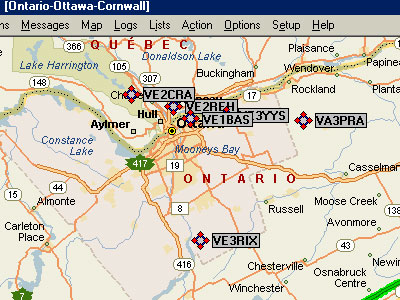 UI-View32 overlay example
WinAPRS overlay example 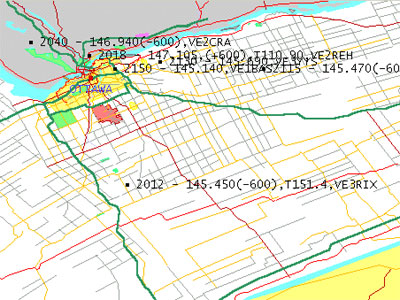
IRLP Nodes Overlay created by Chip, VA3KGB Are you a mobile APRS user, either running a full APRS mobile system or just using APRS for a moving map navigation system, and like to stay in touch with other Amateurs using IRLP. You can use the IRLP Node overlays to see which IRLP Nodes you can access are in the area you are in. These IRLP Node overlay files will give the position, callsign, Node ID, frequency/offset and PL tone if required. All files give the Nodes that have no freq listed which can be seen using the overlay list function. IRLP_Node_pos_files.zip is a series of overlays showing the IRLP Nodes worldwide. These overlays are categorized by frequencies and the information to create these files is from the tab delimited text file on irlp.net. The files with "CS" in the filename use the Callsign as the main label. The files with "ID" in the filename use the Node ID as the main label. These files have been tested under UI-View and WinAPRS. They are one line format, so the same overlay file can bee used in both UI-View and WinAPRS. WinAPRS limits the number of characters in the line, while UI-View can use a two line format. The files with "Cities" in the filename can be used in WinAPRS but will not display the secondary data (status text) on the map and is garbled in the overlay listing. In UI-View32, in addition to the node info described above, you are also given the city, prov/state, and country (status text). The readme.txt file in the zipped file will tell you where to place the overlay files on your computer. There may be some inconsistencies in the overlays due to the way the raw data was entered and Chip's conversion program has not fixed them. Download IRLP_Node_pos_files.zip (21 Apr 2005) Approx 221 kb with 33 files. |
| Top of page |
|
[Home] [Operating_Modes] [APRS] (change the 'at symbol' with @ and remove any spaces) Individual logos, Trade Marks, photos, images,
quoted text, etc., are Copyright © their respective owners and/or
organizations. There is no intent toward copyright infringement. If you are the
owner of a copyright/trademark and do not wish us to use it please email us. |